Pipeline Documentation
Detailed documentation for all scripts in the Fluxspace Core pipeline
Complete Workflow Example
Running the Entire Pipeline
Follow these steps to process data from collection to visualization
Step 1: Collect data
python3 scripts/mag_to_csv.py
# Output: data/raw/mag_data.csv
Step 2: Validate and clean
python3 scripts/validate_and_diagnosticsV1.py --in data/raw/mag_data.csv --drop-outliers
# Output: data/processed/mag_data_clean.csv + diagnostics
Step 3: Compute anomalies
python3 scripts/compute_local_anomaly_v2.py --in data/processed/mag_data_clean.csv --radius 0.30 --plot
# Output: data/processed/mag_data_anomaly.csv
Step 4: Create heatmap
python3 scripts/interpolate_to_heatmapV1.py --in data/processed/mag_data_anomaly.csv --value-col local_anomaly --grid-step 0.05
# Output: data/exports/mag_data_grid.csv + mag_data_heatmap.png
Script Documentation
mag_to_csv.py
Collect magnetic field measurements from an MMC5983MA magnetometer sensor and save them to CSV
Description
Connects to MMC5983MA sensor via I2C and operates in auto-grid mode, automatically generating a grid of measurement points. At each grid point, prompts user to move sensor and press Enter. Takes multiple samples per point and averages them for accuracy.
Key Features
- •Configurable grid settings (NX, NY, DX, DY, X0, Y0)
- •Error handling with specific exit codes
- •Audio feedback (beep) after each measurement
- •Automatic CSV header creation
- •Records Bx, By, Bz components and computes B_total
- •Saves data with UTC timestamps
Output
data/raw/mag_data.csv (or custom path)
Example Usage
python3 scripts/mag_to_csv.pyvalidate_and_diagnosticsV1.py
Validate, clean, and generate diagnostics for magnetometer CSV data
Description
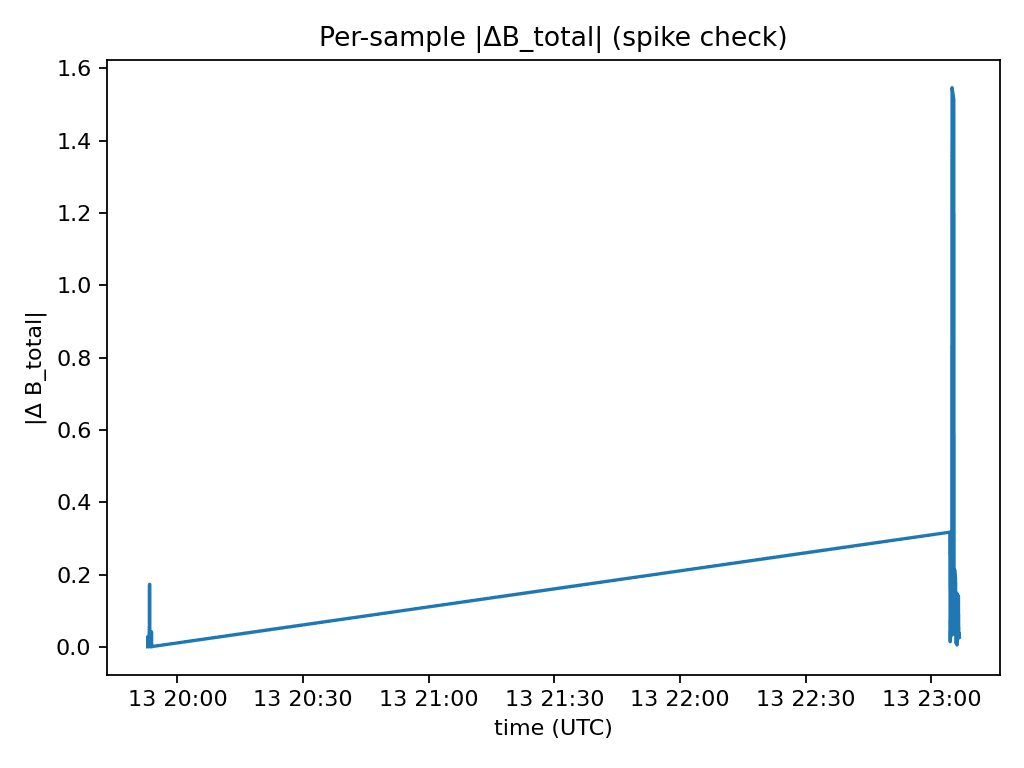
Validates CSV structure and required columns (x, y, B_total). Cleans missing/invalid data and detects outliers using robust z-score statistics (MAD-based). Detects spikes (sudden changes between consecutive measurements) and generates comprehensive diagnostic plots and reports.
Key Features
- •Automatic B_total computation if missing (from Bx, By, Bz)
- •Time column detection and parsing
- •Quality flag columns: _flag_outlier, _flag_spike, _flag_any
- •Optional outlier removal with --drop-outliers flag
- •Configurable thresholds for outlier and spike detection
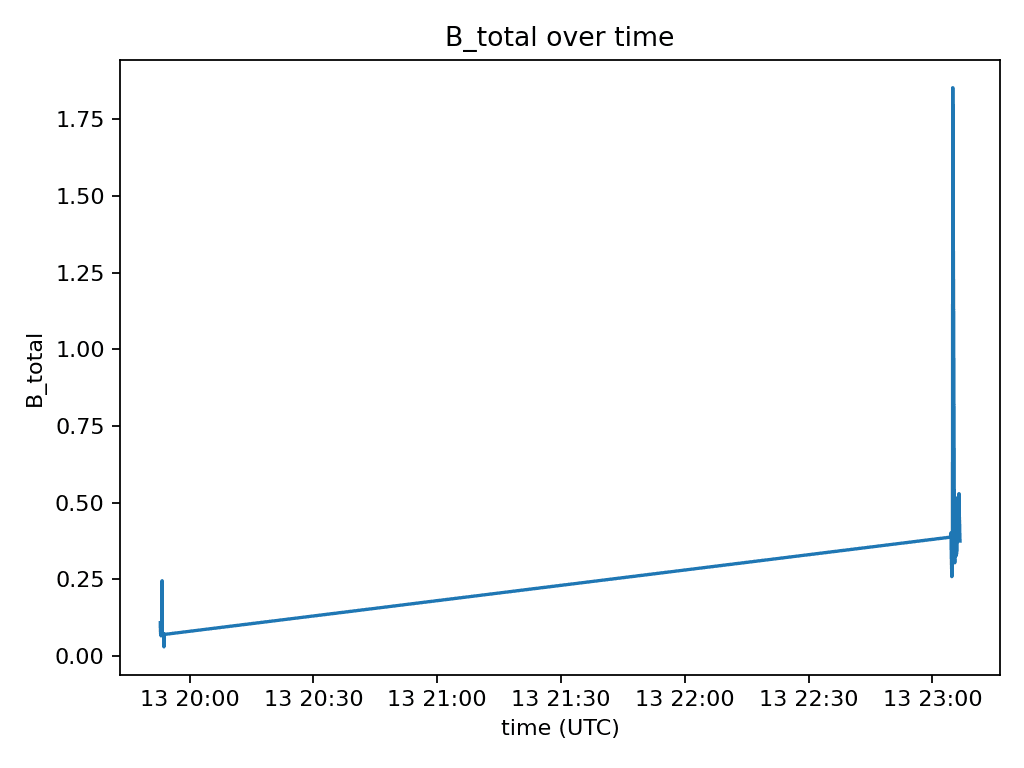
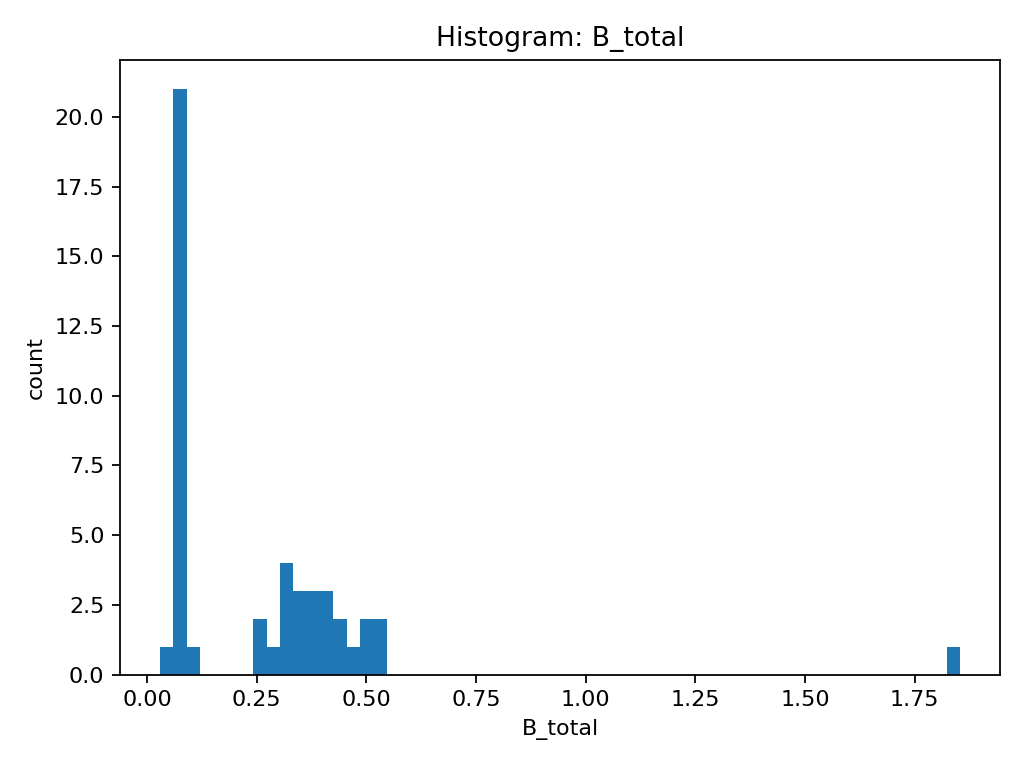
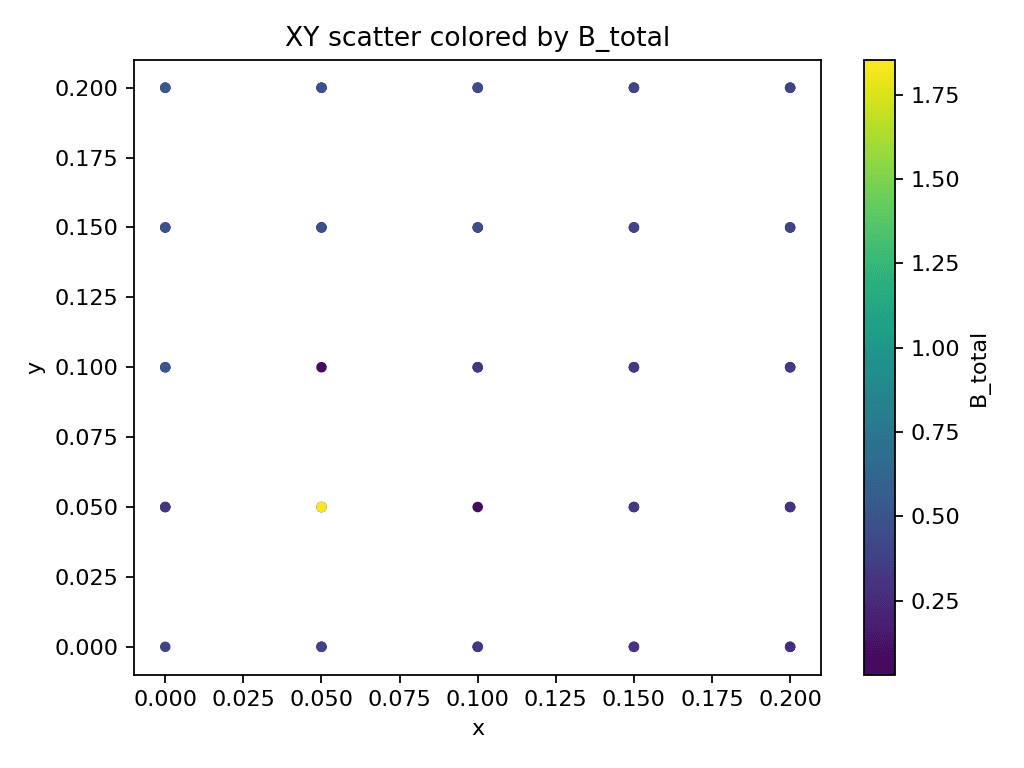
- •Generates diagnostic plots: B_total vs time, histogram, XY scatter, spike deltas
Output
data/processed/<stem>_clean.csv, <stem>_report.txt, and diagnostic plots
Example Usage
python3 scripts/validate_and_diagnosticsV1.py --in data/raw/mag_data.csv --drop-outliers --z-thresh 5.0Example Diagnostic Plots
B_total over time
Histogram of B_total
XY scatter plot
Spike detection
compute_local_anomaly_v2.py
Detect local magnetic anomalies by comparing each point to its neighborhood rather than the global average
Description
For each point, finds all neighbors within a specified radius and computes local mean B_total from neighbors. Calculates anomaly as: local_anomaly = B_total - local_mean. Optionally filters out flagged rows (outliers/spikes) and adds three anomaly columns.
Key Features
- •Command-line interface with flexible arguments
- •Respects quality flags from validation step
- •Configurable neighborhood radius
- •Optional plotting for quick visualization
- •Adds local_anomaly, local_anomaly_abs, and local_anomaly_norm columns
- •Better error handling than v1
Output
data/processed/<input_stem>_anomaly.csv
Example Usage
python3 scripts/compute_local_anomaly_v2.py --in data/processed/mag_data_clean.csv --radius 0.30 --plotinterpolate_to_heatmapV1.py
Interpolate scattered measurement points onto a regular grid and generate heatmap visualizations
Description
Takes scattered (x, y, value) points from CSV and interpolates values onto a regular grid using IDW (Inverse Distance Weighting). Exports grid data as CSV and generates heatmap PNG visualization with configurable grid resolution and interpolation power.
Key Features
- •Lightweight IDW interpolator (no SciPy required)
- •Flexible grid spacing options
- •Tunable interpolation power parameter
- •Quick preview heatmap generation
- •Exports grid data as CSV
- •Generates heatmap PNG visualization
Output
data/exports/<stem>_grid.csv, <stem>_heatmap.png
Example Usage
python3 scripts/interpolate_to_heatmapV1.py --in data/processed/mag_data_anomaly.csv --value-col local_anomaly --grid-step 0.05Example Heatmap Output
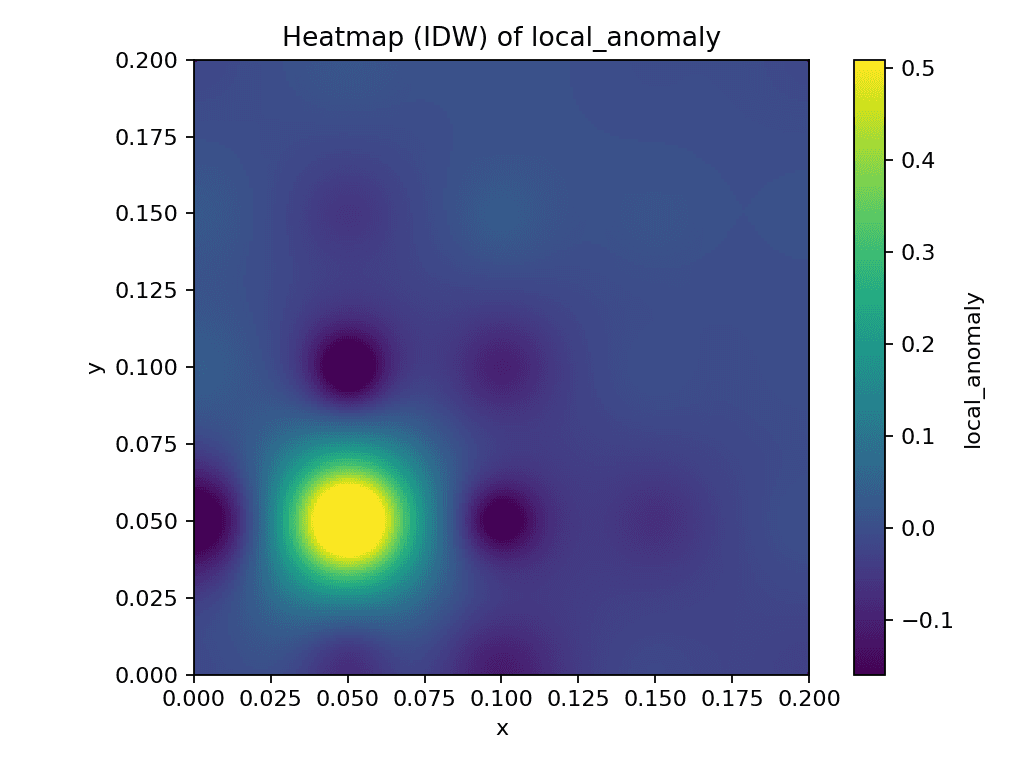
The heatmap visualizes local anomalies with color gradients: yellow/red for high positive anomalies, green for neutral, and blue/purple for low negative anomalies.
Data Directory Structure
Organized Data Flow
The pipeline follows a clear data flow through organized directories
data/
├── raw/              # Original sensor data (from mag_to_csv.py)
├── processed/        # Cleaned and analyzed data (from validate + anomaly scripts)
└── exports/          # Final outputs (grids, heatmaps)

Flow: raw/ → processed/ → exports/
Key Concepts Explained
Auto-Grid Mode
mag_to_csv.py uses an auto-grid system where you configure:
- • NX, NY: Number of points in X and Y directions
- • DX, DY: Spacing between points (in meters)
- • X0, Y0: Starting coordinates
The script automatically calculates each grid point and prompts you to move the sensor there.
Quality Flags
validate_and_diagnosticsV1.py adds flag columns to identify problematic data:
- • _flag_outlier: Points with extreme B_total values (robust z-score)
- • _flag_spike: Points with sudden jumps between consecutive measurements
- • _flag_any: Combined flag (outlier OR spike)
These flags can be used to filter data in subsequent steps.
Local Anomalies
Unlike global anomalies (comparing to overall mean), local anomalies compare each point to its nearby neighbors. This helps detect:
- • Small-scale variations hidden by global trends
- • Regional magnetic field differences
- • Localized sources of magnetic disturbance
IDW Interpolation
Inverse Distance Weighting assigns values to grid points based on:
- • Distance to nearby measurement points
- • A power parameter (default: 2.0) that controls influence decay
- • Closer points have more influence than distant ones
Additional Scripts
compute_local_anomaly_v1.py
Original version of local anomaly computation (simpler, no CLI). Status: Superseded by compute_local_anomaly_v2.py (recommended to use v2)
calibrate_magnetometerV1.py
Placeholder - functionality to be implemented
run_metadataV1.py
Placeholder - functionality to be implemented
Important Notes
- • All scripts use Python 3 and require various dependencies (pandas, numpy, matplotlib, etc.)
- • Scripts are designed to be run from the command line
- • Most scripts support
--helpflag for argument information - • Error handling includes specific exit codes for automation/scripting
- • Output file naming follows consistent patterns (e.g.,
<stem>_clean.csv,<stem>_anomaly.csv)